BibGenie: The Ultimate AI Research Agent for Zotero
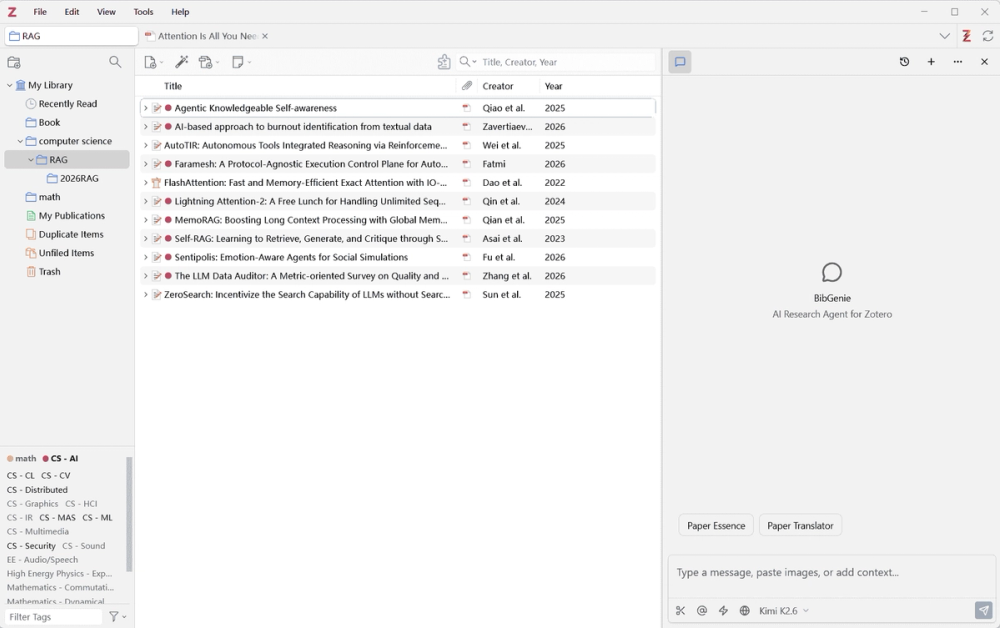
BibGenie is an AI research agent built directly into Zotero. It reads your library, PDFs, notes, and snapshots — bringing LLM power to your local research environment without sending data to third-party servers.
Key Features
- Deep Paper Reading — Summarize full PDFs by research question, method, findings, and limitations. Select passages or figures for deep-dive explanations.
- Rich Context — Add papers, PDFs, notes, tags, collections, images, or screenshots via
@mention or right-click. Compare multiple papers at once. - Smart Search — Keyword search, semantic search (by meaning, not just wording), and list browsing — all powered by a local index.
- Library Management — Add/remove tags, create collections, move items, edit metadata, and classify papers by topic or project.
- Save as Note — Turn AI responses into Zotero notes with one click. Supports headings, tables, formulas, and code blocks.
- Web Search & Extract (Paid plans) — Search the public web or read specific pages to supplement your library.
- Flexible Models — Official models (out-of-the-box), BYOK (OpenAI, Anthropic, DeepSeek, etc.), local models (Ollama, LM Studio, zero credit cost), and a free built-in AUTO model.
- MCP Server (Power users) — Expose your Zotero library to Claude Desktop, Cursor, VS Code, and other AI tools via the built-in MCP server.
- Customizable — System prompts, quick prompts, citation format (APA/Chicago/IEEE), and keyboard shortcuts.
- Local-First — Chat history and settings stored locally. Custom/local model requests go directly to your provider.
Pricing
| Plan | Price | Credits/Mo | Highlights |
|---|---|---|---|
| Free | $0 | 50 | Core chat, context, custom models |
| Pro | $9.99/mo | 1,000 | + Web Search / Web Extract |
| Max | $30/mo | 3,500 | Higher limits for deep reading |
| Lifetime | $199 once | 1,000 | Long-term Pro access |
Get Started
- Download the plugin
- Install in Zotero: Tools → Plugins → Install Plugin From File
- Open BibGenie from the toolbar, add a paper with
@, and ask for a summary
Supports Zotero 7, 8, and 9.
Learn more at bibgenie.com